
Find Your Architecture Bottleneck
Before Your Users Do
Model your system architecture, simulate load, and spot performance bottlenecks instantly. Add servers, databases, caches, and queues — no code required.
What is Bottlenecker?
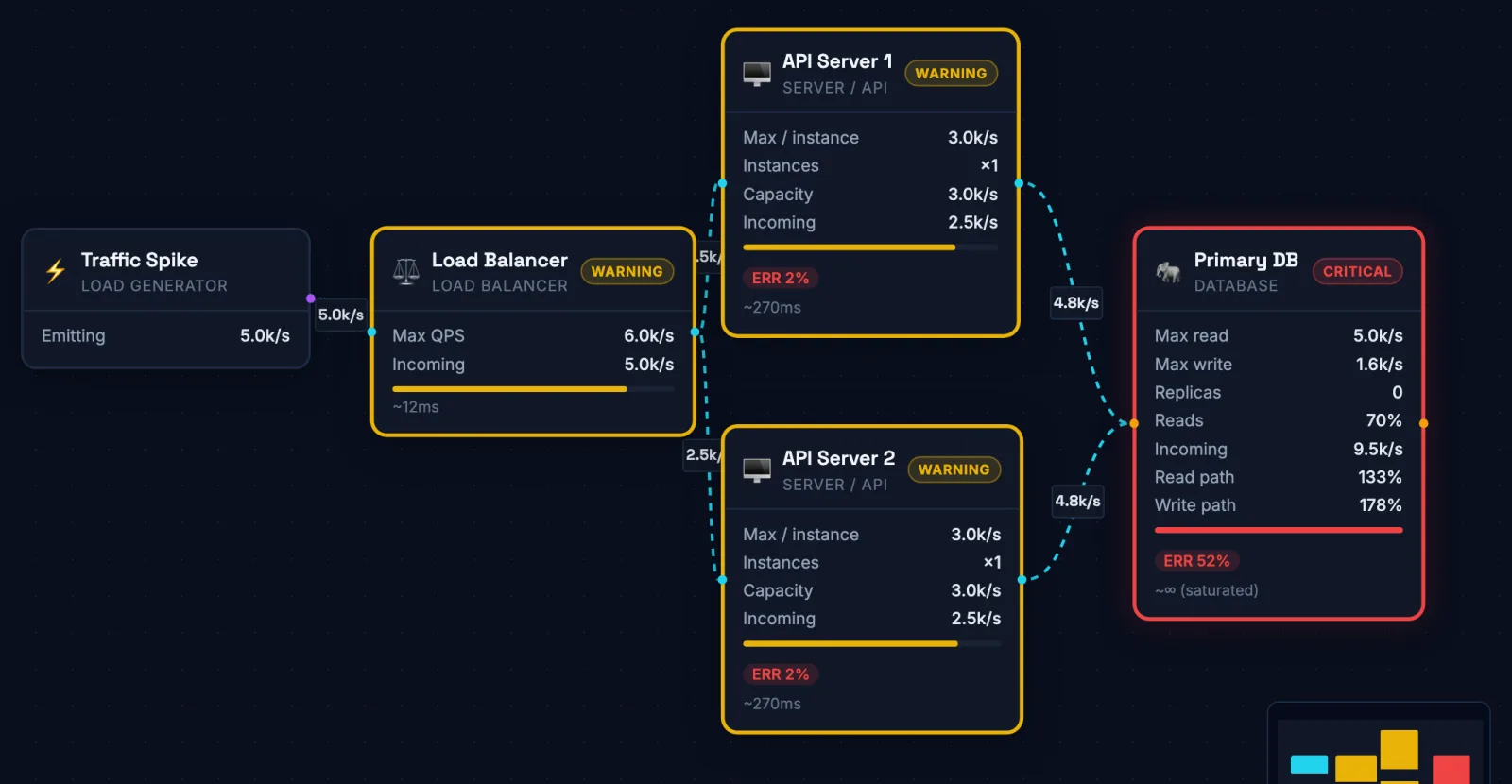
Bottlenecker is a free, browser-based system architecture simulator. Engineers and architects use it to visually model distributed systems — placing servers, databases, caches, load balancers, and message queues on an interactive canvas — then simulate realistic traffic loads to identify where the system breaks down. No code, no infrastructure, no signup needed. The simulation runs in your browser, and your diagrams never leave it.
How It Works
Add Components
Drag load generators, load balancers, servers, databases, caches and queues onto the canvas from the sidebar.
Connect & Configure
Draw edges between components, set how much traffic the load generator sends, each component’s capacity, and how edges split traffic.
Watch It Break
The simulation re-runs on every change. Overloaded components turn red, so the bottleneck is obvious.